
FREDALARM / PLATFORM
Your cold rooms.
Your information.
One application.
Check the status of your establishments, check alarms and prepare your records from your computer or mobile.
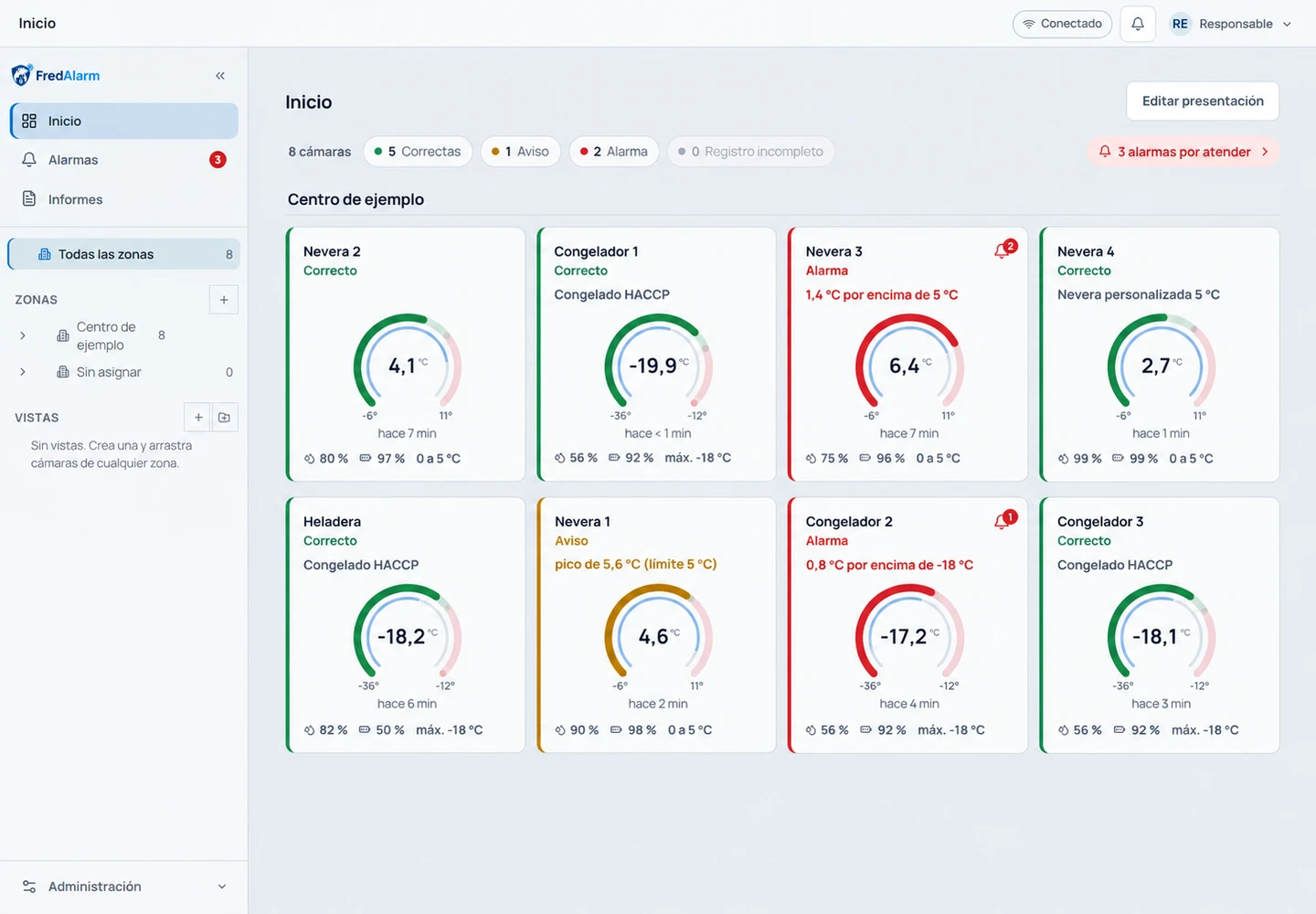
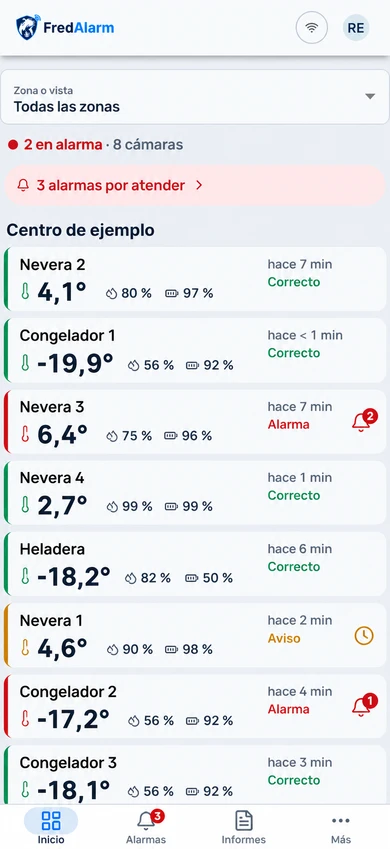
EVERYTHING, AT A GLANCE
Your cold rooms, at a glance.
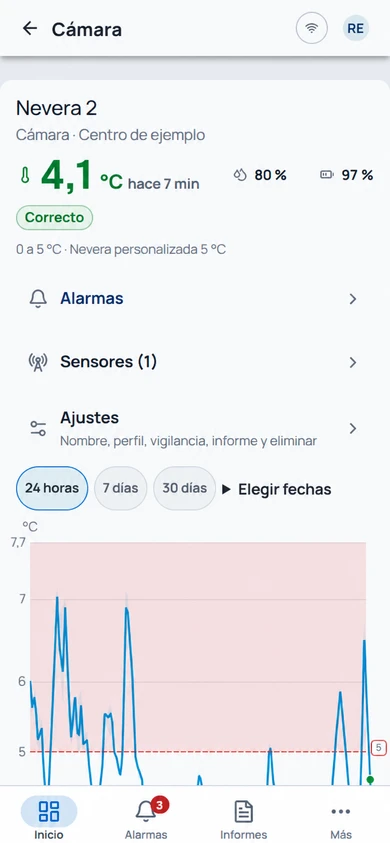
Temperatures, humidity and status of your cold rooms in the same view. Distinguishes an alarm, warning or dead point and enters the cold room that needs attention.
- States: OK, Warning, Alarm, No data and No profile
- Temperature, humidity and battery, depending on installed sensors
- Access to the history and alarms of each cold room
ONE CENTER OR SEVERAL BUSINESSES
Organize your installation
how you work
From the same application you can supervise your organization's establishments and businesses, with access according to the permissions of each user.
Each establishment, in its place.
Group cold storage rooms by center or area. Subzones help organize rooms and areas within the same facility.
The unit you supervise.
Each cold room has its temperature profile, its status, its history and its alarms. The sensor is the instrument that takes the measurements.
What you need to see together.
Bring together cold rooms from multiple zones in one working view. Each person consults only the area to which they have access.
FROM ALARM TO ACTION
The data with its history.
Review what happened, consult the period that interests you and record the attention and resolution of the alarms.
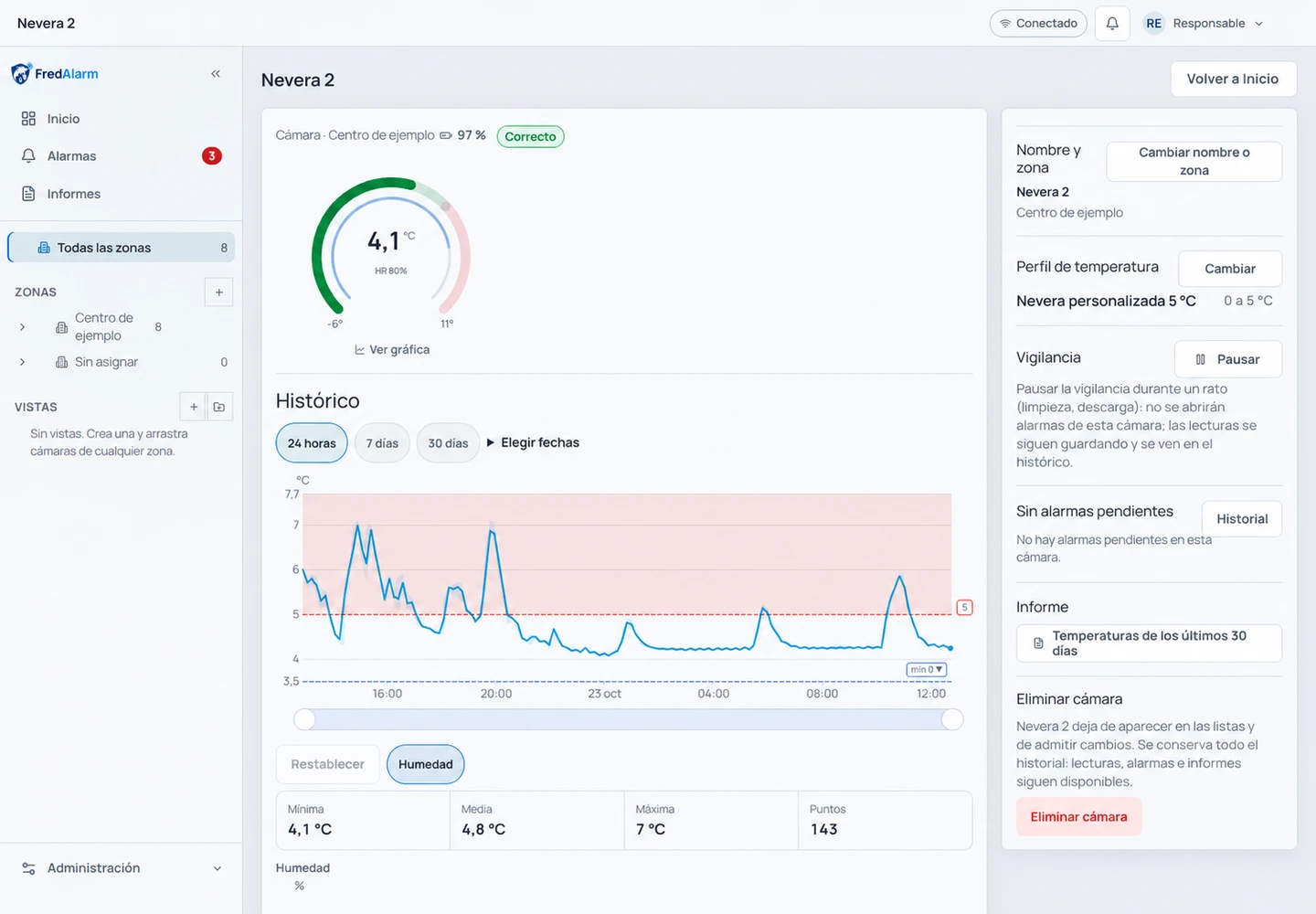
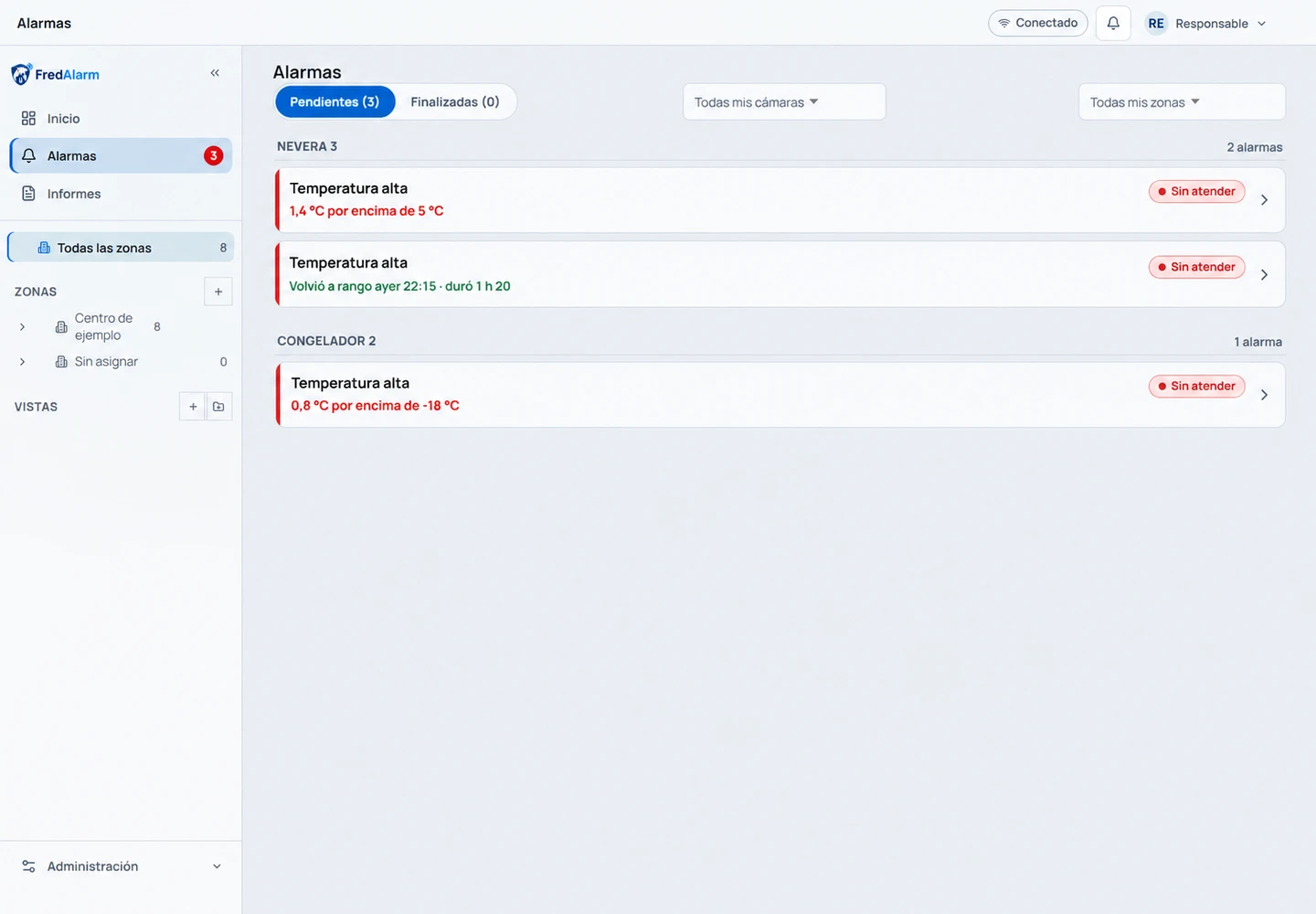
LESS PAPERS, MORE CONTEXT
Records and reports to support your HACCP procedures.
Prepare the documentation of your cold rooms for reviews and inspections: choose the scope and period and gather the records you need.
- Temperatures: graph, daily summary and periods without data
- Alarms and actions: what happened, what was done and pending issues
- Exportable temperatures and alarms in PDF and CSV
- Saved reports; other records according to available formats
The records support the establishment's self-control plan. The specific requirements depend on your activity and procedures; A report alone does not prove food compliance.
HACCP and self-control: information from AESAN ↗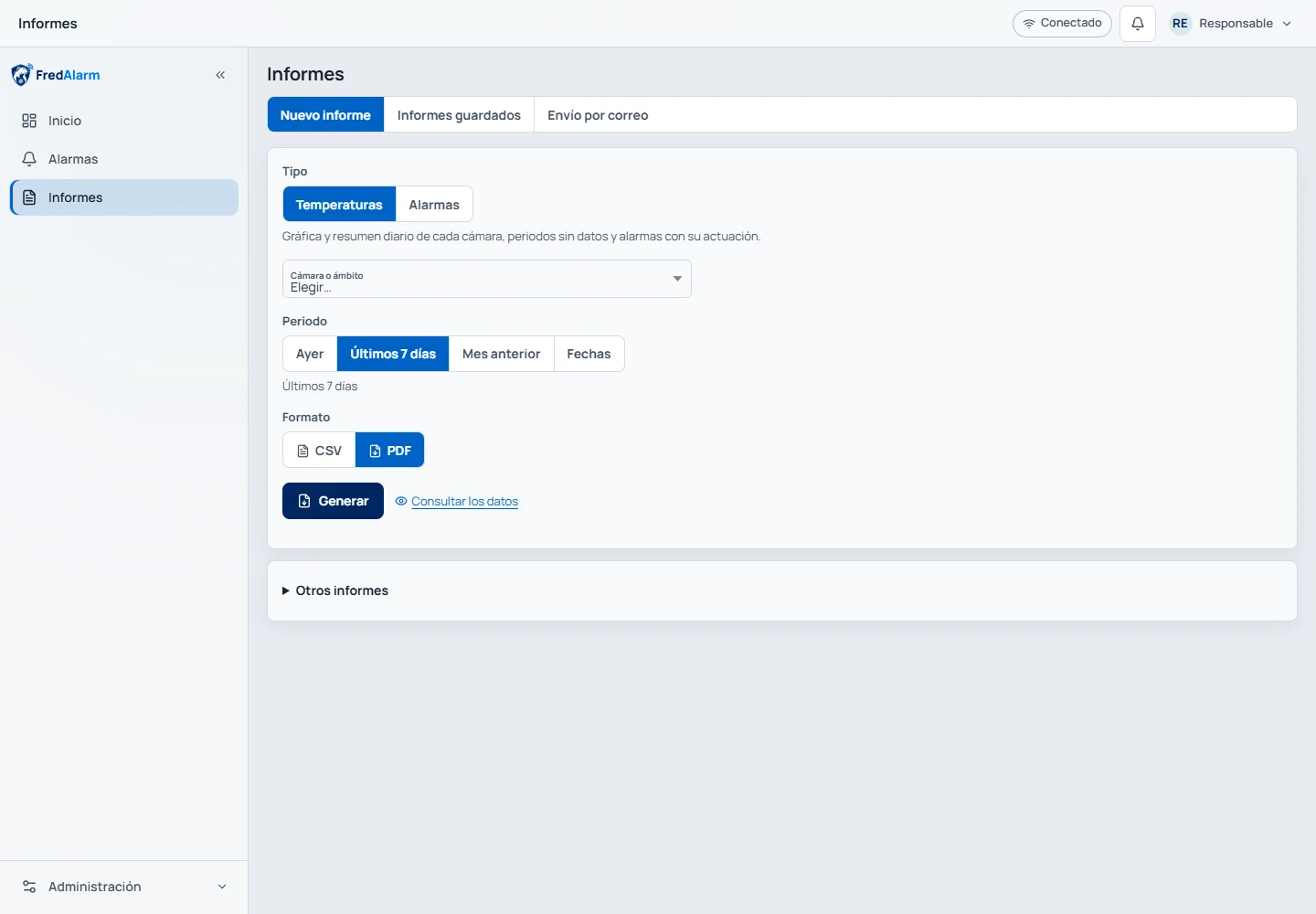
IN THE BROWSER AND ON THE MOBILE
The same information,
where you need it.
Check FredAlarm on your computer, use a monitoring screen, or carry the app with you.
desktop browser
Monitor establishments, consult history and prepare reports from the cloud.
Monitoring screens
It presents the selected cold rooms on a query screen, with the range configured for it.
Android app
Mobile interface and notifications available depending on device permissions and settings.
iPhone and iPad
Use from the browser, with the option to add FredAlarm to the home screen from Safari.
FREDALARM ARCHITECTURE
From your equipment to your application.
The end devices can communicate via LoRa, Modbus or PLC. A gateway gathers its data and publishes it via MQTT to the destination configured for your project.
LoRa · RS-485 · Electrical network
MQTT · Encrypted connection · Destination according to configuration
The gateway publishes directly to your infrastructure, as an alternative to the FredAlarm platform.
The MQTT destination is chosen depending on the project configuration: the FredAlarm platform or the integrator broker. Depending on the gateway and deployment, the link is secured using TLS or a VPN connection. The Gateway connects to the network via Wi-Fi or Ethernet depending on its configuration. On the FredAlarm platform, the client queries the information over HTTPS from the browser or application. OPC UA is planned as an option for integration with SCADA and BMS.
Know the equipment and gateways ↗Let's see how it fits into your daily life.
Tell us what establishments and points you need to supervise.